
Vertical NBA Videos: Motion Tracking for Social Media
Create vertical NBA videos with motion tracking for Instagram & TikTok. Learn how NBAPlayDB's AI automatically follows the ball for social media.
Feedback Welcome
This feature is still being developed. Suggestions and ideas are very helpful. Share feedback on the feedback page, Twitter/X, or BlueSky.
Standard NBA clips are not built for phone screens. They show the full court in wide format. This makes the ball and players look small on mobile. Vertical video fixes this by following the action closely.
NBAPlayDB uses motion tracking to create smooth 1:1 vertical videos. The system follows the ball and keeps it centered. This makes highlights look better on Instagram, TikTok, and other social platforms.
Motion tracking is currently available for NBA clips only. WNBA support is on the roadmap.
The Problem with Standard NBA Clips
Most NBA videos use a wide 16:9 format. This works great on TV but not on phones. On mobile, the players become tiny. The ball is hard to see.
Simply cropping the sides does not work either. The ball moves across the court constantly. A fixed crop would lose the action.
What Is Basketball Motion Tracking
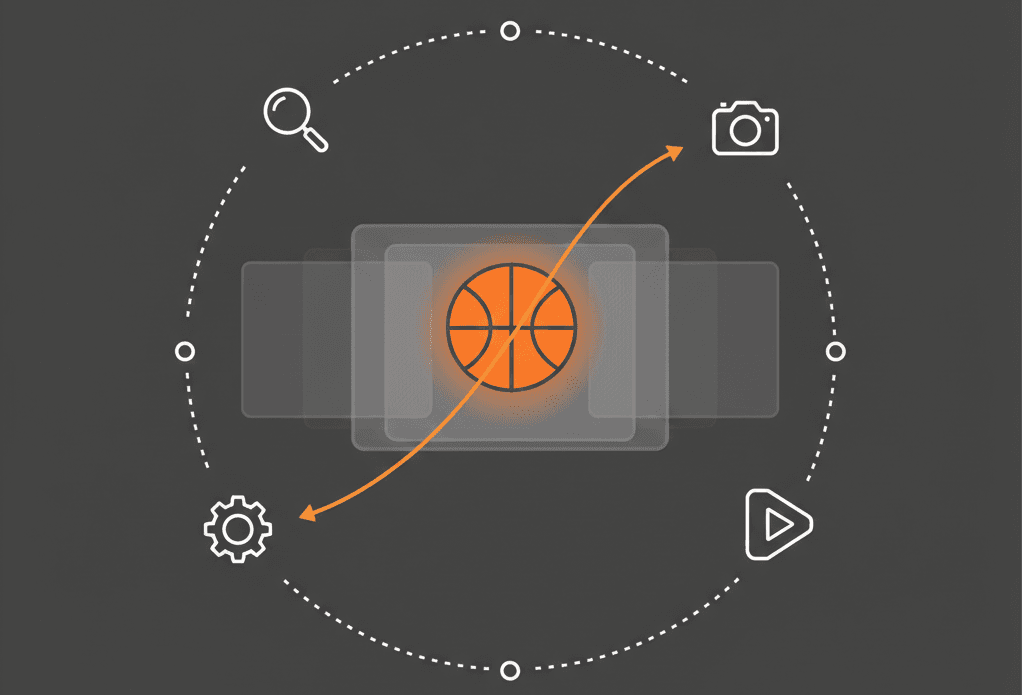
Motion tracking means the video follows the ball automatically. The system knows where the ball is in each moment. A virtual camera is moved to keep the ball in view.
This is not just cropping. The camera movement is smooth and natural. It feels like the action is being carefully filmed.
For fans who share highlights, time is saved. No need to manually edit videos for social media.
Why Following the Ball Matters for Mobile
When scrolling Instagram or TikTok, videos fill the whole screen. Vertical content gets more attention because screen space is used better.
Motion-tracked NBA clips put the action front and center. The ball is seen clearly. Players appear up close. Nothing important gets cut off.
Social media platforms favor vertical content. Motion-tracked highlights fill the screen and keep viewers watching longer.
How These Videos Are Created
The system works in a few simple steps.
First, key moments in the video are analyzed. Not every single frame, just the important ones where something changes. This is faster and more reliable.
At those key moments, AI finds the basketball in the frame. The ball's shape and color are used to locate it precisely.
Then, the gaps between those moments are filled in. Instead of jumping around, the camera moves smoothly from one position to the next.
Finally, a vertical crop is created that follows this smooth path. The result is a 1:1 video where the ball stays centered throughout the play.
Why This Approach Works Well
Checking every single frame sounds more thorough. But it actually causes problems.
Frame-by-frame tracking is slow and can be jittery. Small errors make the video shake. It looks unstable.
By focusing on key moments and smoothing between them, the video looks natural. The camera flows with the action instead of jumping around.
Think of it like drawing animation. Artists draw the main poses first, then fill in the movement between them. Motion tracking works the same way.
What to Expect
Motion tracking works well for most plays. But there are some limits worth knowing.
When the broadcast camera moves quickly, tracking might briefly lag behind. It catches up once the camera settles.
If many players crowd around the ball, detection can be harder for a moment. These gaps are filled smoothly.
Unusual camera angles (like baseline shots) sometimes produce less perfect results. Standard overhead broadcasts work best.
Most plays track smoothly. Occasional imperfections are normal and do not affect the overall quality.
Frequently Asked Questions
Does motion tracking work on all plays?
Yes, motion tracking is applied to all available NBA plays. Most plays produce smooth vertical videos. Some edge cases may have minor imperfections. Learn how to search for specific plays to find the clips that work best for your needs.
Is motion tracking available for WNBA?
Not yet. Motion tracking is currently supported for NBA plays only. WNBA support is on the roadmap.
Can both vertical and horizontal versions be downloaded?
You can choose either the motion-tracked vertical version or the original horizontal version when creating a mixtape. To get different versions of the same play, you'll need to create separate mixtapes for each format.
How long does it take to generate a vertical video?
Motion-tracked vertical videos take longer to process than standard videos because the system needs to detect the ball throughout the video and calculate camera movements to keep it centered. Processing time varies based on video length and complexity.
Will the ball ever leave the frame?
The ball is kept centered by the system. In rare cases with extreme camera movement, the ball might drift toward the edge briefly. It recenters quickly.
Is special software needed to watch these videos?
No. The vertical videos are standard MP4 files. They play on any device or app.
Try It Out
Motion tracking makes sharing NBA highlights on mobile simple. The work is handled automatically. Smooth vertical videos ready for social media are available for every play.

Go to the search page and find any NBA play. Download the vertical version and see the difference.